
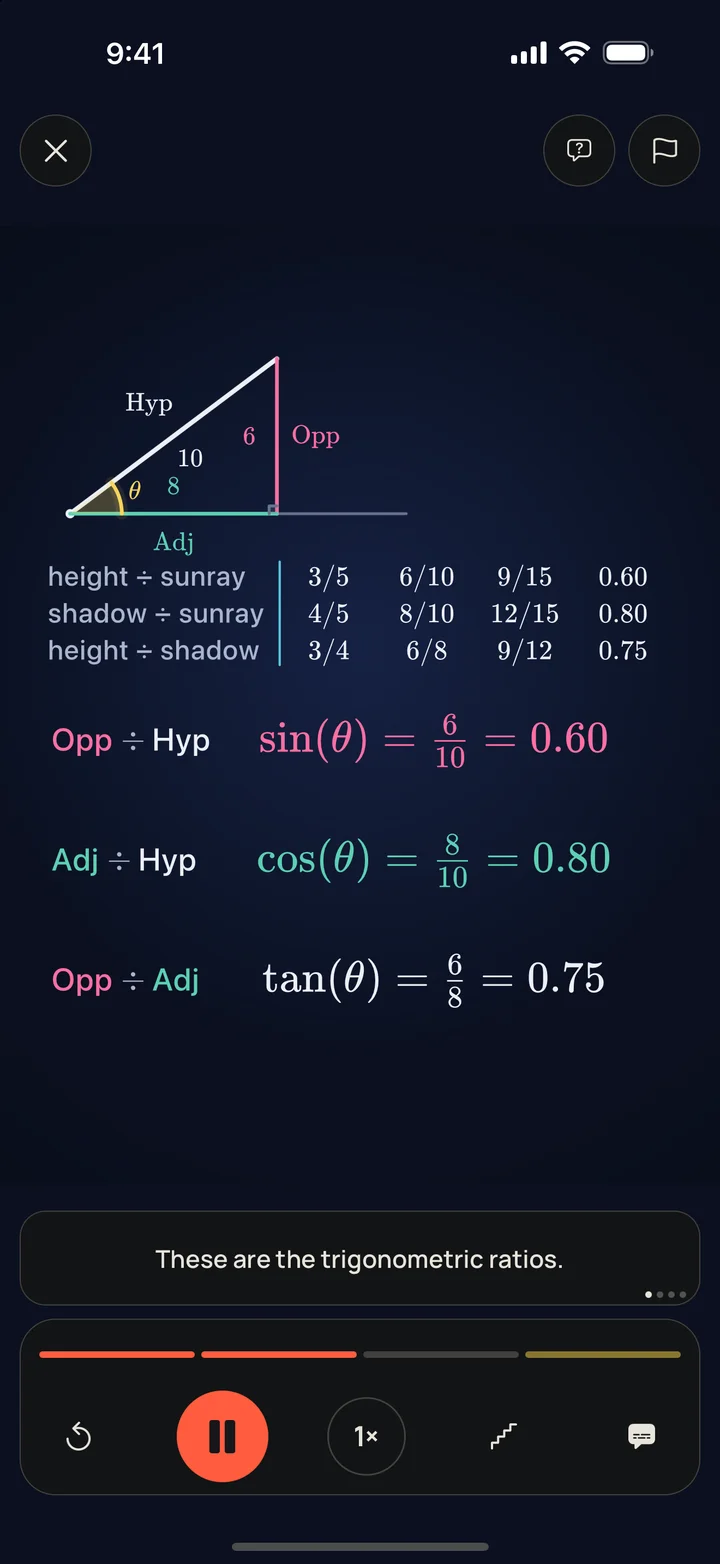
01 · Watch
Voiced animations, one beat at a time
Diagrams draw themselves in sync with clear narration and captions. Pause anywhere, switch to Step mode to advance beat by beat, or adjust playback speed.
Short voiced animations build the intuition first. Hands-on Explore graphs let you test every rule yourself—and when homework gets stuck, photo hints nudge you step by step instead of handing over a blind answer.
How a concept clicks
Stemory pairs voiced visual lessons with interactive geometry and algebra tools, then backs you up on tonight’s worksheet without spoiling the thinking.
Diagrams draw themselves in sync with clear narration and captions. Pause anywhere, switch to Step mode to advance beat by beat, or adjust playback speed.
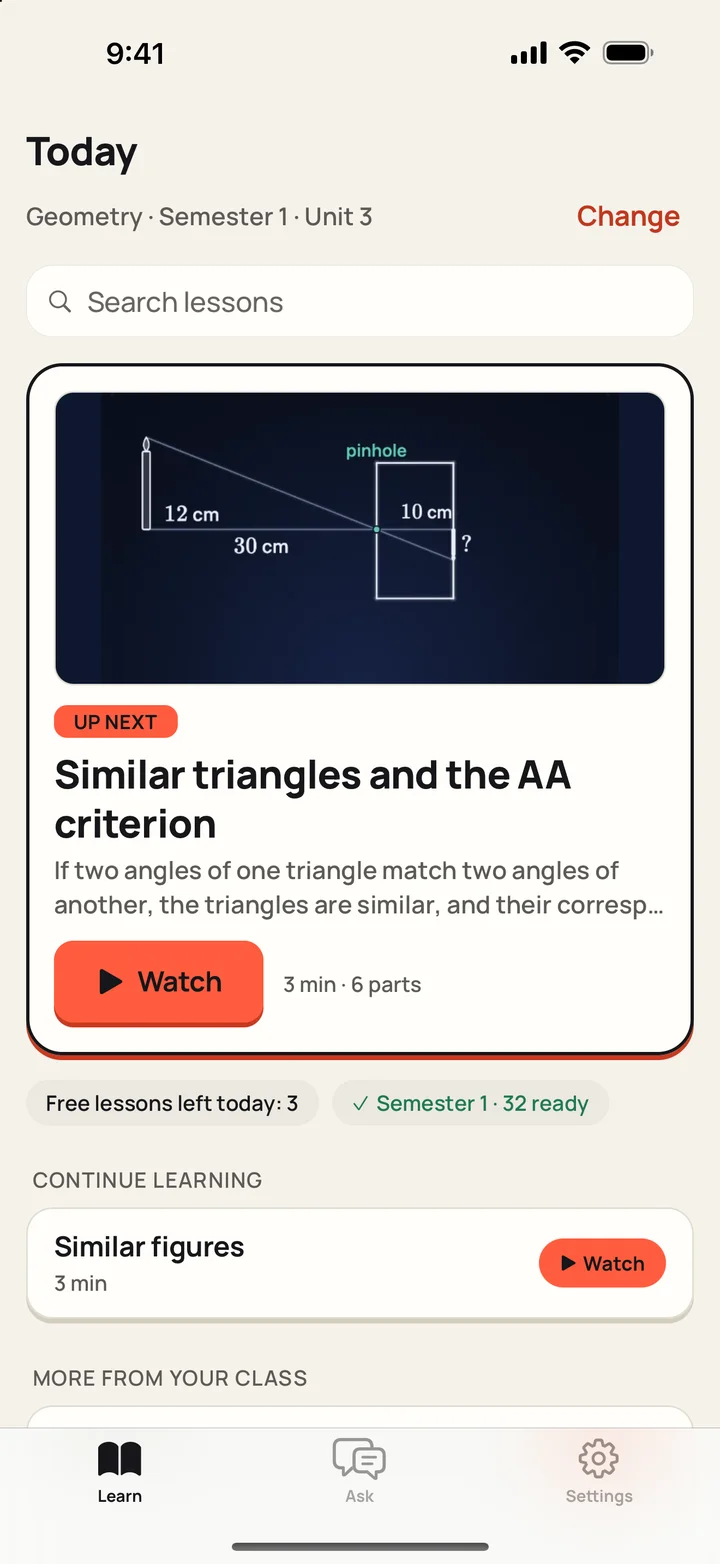
Follow your exact school course from unit to unit, jump into hands-on Explore sliders inside interactive lessons, and see how many Semester 1 topics are ready.
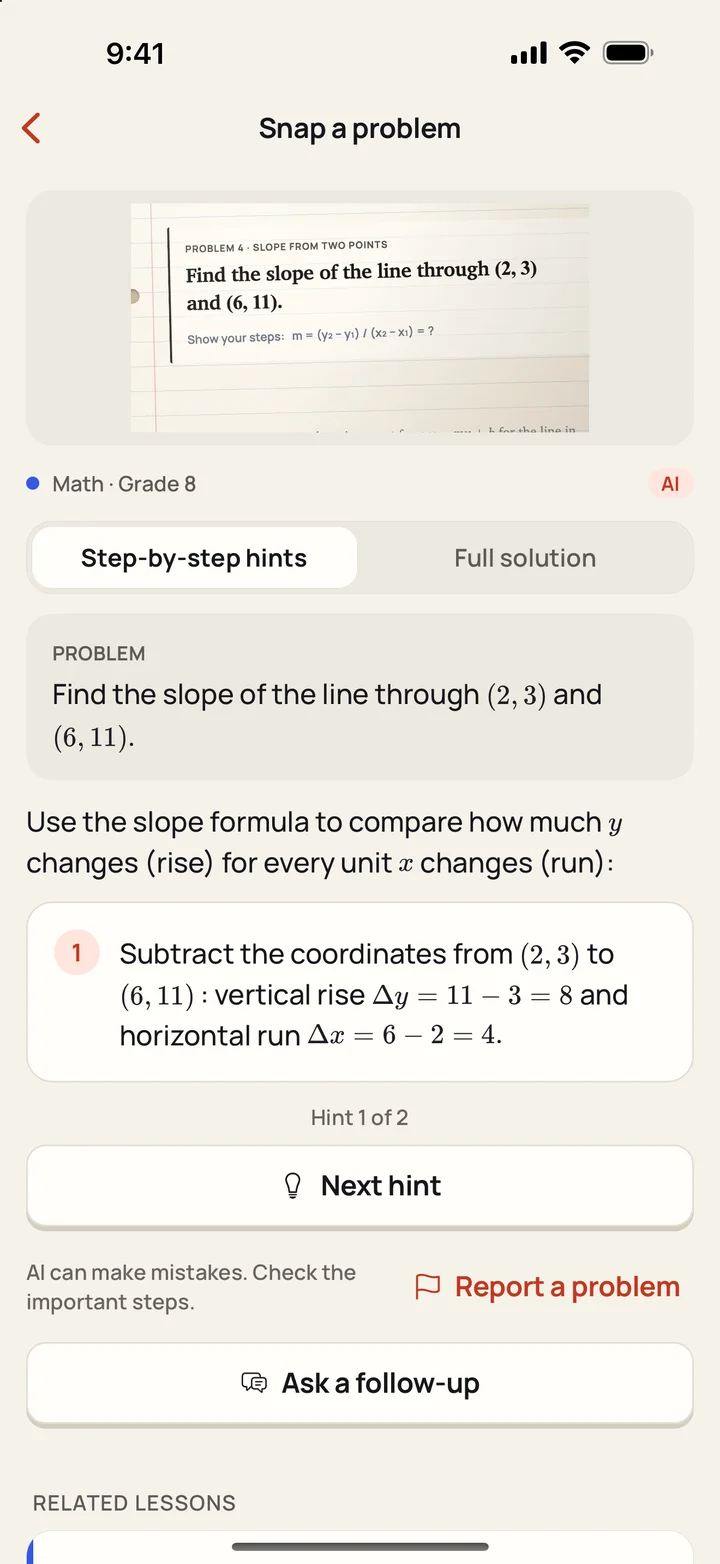
Photograph printed or handwritten math, or type it in. Choose Step-by-step hints to work through it yourself, or open the matching visual lesson.
Built for understanding, not copying
Most classroom quizzes are on paper, without a phone. Stemory is designed like a patient desk tutor that keeps the pencil in the student’s hand.

Open the app, pick your grade or course, and watch a concept come alive in under two minutes. No account or credit card required to start learning.
Download S: Stemory – AI Math Tutor on the App Store Get S: Stemory – AI Math Tutor on Google Play